


Miami Herald Latest Local News
3.9284.00 Reviews
App Specs
- Version
- 11.1.16
- Updated On
- License
- Free
- Downloads
- 50,000+
- Developer
- McClatchy
- Categories
- News & Magazines
- Platform
- Android
Screenshots
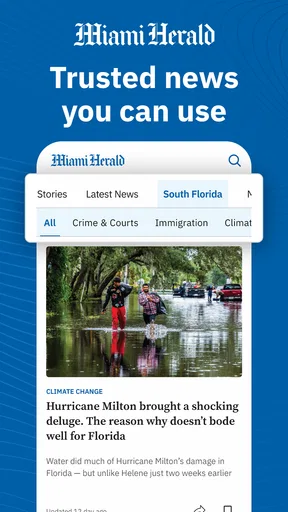
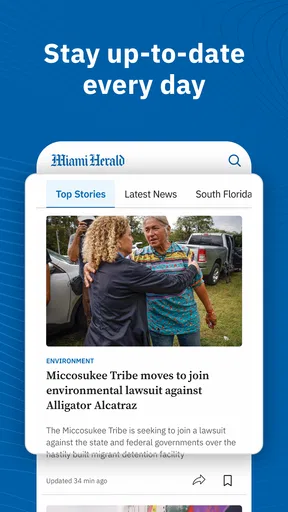
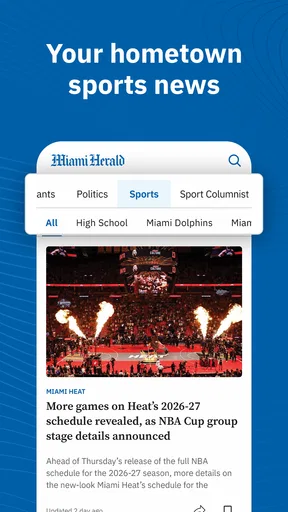
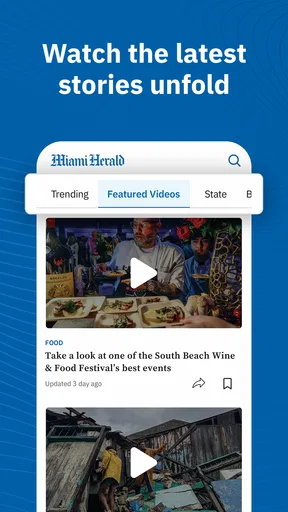

 Analysis by AppCompare
If you’re opening the Miami Herald app for the first time, I’d treat it as a way to follow news about Miami rather than as a general-purpose news reader. Its value depends on how much you care about the city and the issues around it: local reporting is the reason to try it, while readers who want a broad, customizable national feed may be happier with a larger news aggregator. I found it most useful when I had a few minutes to check what was happening locally, then returned later to read a longer story.
What to expect from a local news app
This is a free news and magazines app from McClatchy, with coverage that brings together reporting, photographs, video, features, bloggers, and other material. The publication is known for Pulitzer Prize-winning journalism, but that background is best understood as context, not a promise that every item in the app will suit every reader. In practice, I would use it to keep a local perspective in view, especially when a Miami story is being discussed through national headlines that leave out neighborhood context.
The app has been available since May 24, 2012, and its current version is 10.2.66. It is listed for Android devices running version 8.0 or later, and the age rating is Everyone 10+. The app itself is free to install, but in-app purchases range from $1.99 to $159.99 per item. That wide span is a good reason to check the terms shown in the app before committing to any purchase, rather than assuming that every story or feature is included at no cost.
I’d also go in with measured expectations about reader feedback. The app has a 2.0 average from 707 ratings, with 270 written reviews, and 50K+ installs. Those figures don’t tell me why individual people rated it as they did, but they do suggest that it’s sensible to judge the experience on your own device before making it part of your routine. If you mainly want dependable access to Miami reporting, that is a fair test; if a polished, consistently praised app experience is your top priority, you may want to compare it with other ways of following local news first.
Making the first visit useful
After installing it, I’d begin by opening the main news feed and scanning the available sections before changing anything. That first pass helps you see whether the mix of local coverage, opinion, sports, and multimedia matches what you came for. Rather than trying to tune every preference straight away, pick one clear goal: follow local government, keep up with a team, or find reporting about culture and daily life. A focused first visit is less distracting than treating the app as another endless stream to manage.
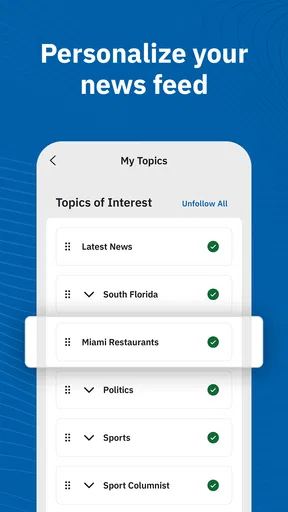
If you want to make the feed feel more relevant, use any available personalization controls to emphasize the topics you actually read. I would keep the selection fairly narrow at first. A broad mix can be useful when you want a general picture of Miami, but too many interests make it harder to spot the local story you opened the app to find. You can adjust your choices later once you know what the publication covers regularly and which sections you return to.
For a first successful action, choose one article that answers a question you already have about the city, read it through, and then look at the related material the app places around it. A photo gallery or video can add useful texture to a story, while an opinion piece is better treated as a clearly different kind of reading from reported news. That small distinction matters: it helps you get value from the range of formats without mixing commentary and reporting together in your own understanding.
Worth Reading Before You Choose

EA SPORTS FC Mobile 26 Is a Bigger Football Game, but It Takes Time

Flipboard Shows What News Apps Must Do Beyond the Feed

Switching to Android Auto Means Rethinking Your Driving Routine

Google Calendar Makes a Crowded Week Easier to Manage

Ludo King Makes the Most of the Minutes Between Plans

Baby Panda World Brings Quick Play to Modern Phones, but Its Game Library Feels Busy
Alerts, saved reading, and a calmer routine
Breaking-news notifications can be useful if you want to hear about an important local development without remembering to check the app. They can also interrupt a busy day, so I’d be selective about enabling them and review the device’s notification controls if the alerts become too frequent. A practical approach is to allow only the notices that genuinely help you act or understand a developing story, then use the app’s feed when you have time for less urgent coverage.
Saved articles fit a different need: they give you a place to return to when you can’t read something properly in the moment. I’d use that option for a longer investigation, a useful local guide, or a story I want to discuss with someone later, rather than saving every headline that catches my eye. If you’re commuting or waiting between appointments, saving one or two pieces ahead of time can turn a short gap into focused reading, without making a growing backlog feel like another obligation.
Where the experience can be confusing
The biggest distinction to keep in mind is that installing a free app does not necessarily mean every paid element is free. If you encounter a purchase prompt, pause and read what it covers before proceeding; the available in-app purchase prices vary substantially. This is especially important if you’re setting up the app for a family member or using a device where purchases can be made easily. Treat the prompt as a decision point, not as a routine step required to read the first article.
It can also take a little time to work out which kind of item you’re reading. A news report, a blog post, an editorial, and a photo feature can all sit within the same local-news experience, but they serve different purposes. When a topic matters to you, compare the reporting with commentary rather than relying on an opinion piece alone. That habit is useful in any publication, and it helps you make better use of the Herald’s mix of formats.
For everyday use, I’d check the app once in the morning for local developments, then return only when a headline connects with something I need to know. For example, if a major city issue is being debated while I’m getting ready for work, I can scan the main coverage, save a more detailed article for later, and read it during a quiet break instead of chasing updates all day. Sports followers can use a similar rhythm: check coverage when there is a game or team story they care about, rather than expecting the app to replace a dedicated sports service for every league and score.
Who will get the most from it
I’d recommend giving it a try if Miami is home, if you have family or work ties there, or if local politics, culture, and sports matter to you. It can also be a useful companion for someone who has moved away but wants a better sense of what is happening in the city than a national news feed usually provides. The strongest reason to choose it is that local reporting can make a story feel grounded in the place where it is unfolding.
I would skip it if you rarely read about Miami, want a single app to cover every subject and location, or dislike the possibility of encountering purchase options in a free download. A general news aggregator is likely more convenient if your priority is to gather headlines from many publications in one place. A dedicated sports app may be a better fit if your main need is frequent scores and broad team coverage. The Herald makes more sense when Miami itself is the subject, not when you’re simply looking for the largest possible menu of news.
Getting Started with the Miami Herald App
First things first, let’s talk about the user experience. Downloading the app is a breeze. Whether you're an Android or iOS user, just head over to your respective app store, and within minutes, you’ll have the Miami Herald ready to serve you the latest news. The interface is sleek and intuitive, making navigation super easy, even for those of us who might not be the most tech-savvy.
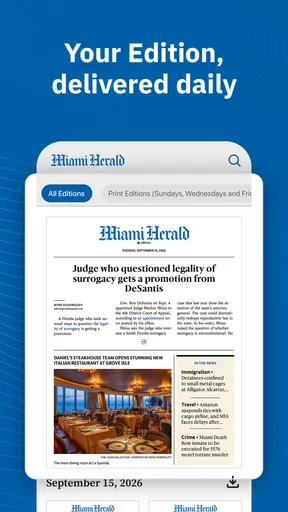
Once you launch the app, you're greeted with a clean, organized homepage. It’s like having a digital version of the newspaper right at your fingertips. The categories are well laid out, and you can easily jump from local news to sports or even check out the latest Miami Dolphins game highlights. The app also allows you to customize your feed, which means you can prioritize the news that matters most to you.
Features That Stand Out
One of the features that really caught my attention is the real-time breaking news alerts. These push notifications are perfect for those moments when you need to know what's happening right now. I found this especially useful during the recent local elections. It’s like having your personal news assistant keeping you in the loop 24/7.
The app also offers a section dedicated to opinion pieces and editorials. Here, you can dive deeper into the issues that are shaping Miami and beyond. It’s a fantastic way to get diverse perspectives and engage with the community through comments and shares.
Another highlight is the multimedia content. The Miami Herald app doesn’t just stop at text; it enriches your experience with videos and photo galleries. Whether it’s a recap of Art Basel or a feature on Miami’s bustling food scene, the app does a stellar job of bringing stories to life.
Staying Connected and Informed
If you're someone who likes to stay connected to the local culture, the Miami Herald app has you covered. The events section keeps you updated on what's happening around town, from concerts to festivals. This means you’ll never miss out on the fun stuff happening right in your backyard.
For sports enthusiasts, the sports section is a definite win. You get comprehensive coverage of Miami's beloved teams, complete with scores, analysis, and upcoming fixtures. It's like having a mini ESPN dedicated just to Miami sports.
My Personal Take
Now, let me get a bit personal here. As someone who loves to stay informed but often finds themselves overwhelmed by endless information, the Miami Herald app has become my go-to source for news. It’s concise yet comprehensive, ensuring I don’t miss out on important stories without feeling swamped.
The customization options are a huge plus for me. I love that I can tailor the news feed to suit my interests, and the ability to save articles for later is a nifty feature for when I'm short on time. Plus, the app’s performance is smooth, with minimal loading times and no unexpected crashes, which is a huge relief.
Wrapping Up
In conclusion, if you're living in Miami or simply have a keen interest in the city, downloading the Miami Herald app is a no-brainer. It’s a comprehensive, well-designed tool that keeps you connected to the pulse of Miami. Whether it’s politics, culture, or sports, this app has got you covered.
So, go ahead and give it a try. You might just find that it becomes an indispensable part of your daily routine, much like it has for me. It's like having Miami in your pocket, ready to inform and entertain at a moment’s notice.
Pros
- User-friendly interface enhances readability.
- Comprehensive local news coverage.
- Customizable notifications for breaking news.
- Offline reading mode available.
- Diverse multimedia content enriches stories.
Cons
- Frequent ads can be distracting.
- Subscription required for full access.
- Occasional loading delays on some devices.
- Limited international news coverage.
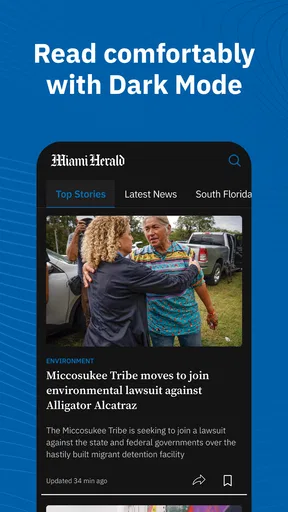
- No dark mode option available.
FAQs for Miami Herald Latest Local News
What type of content does the Miami Herald app provide?
The Miami Herald app offers a comprehensive range of content including local news, international stories, sports updates, entertainment news, and opinion pieces. Users can access in-depth articles, videos, and photo galleries. The app is designed to keep you informed about the latest developments in Miami and beyond with real-time updates.
Is the Miami Herald app free to use?
The Miami Herald app is free to download and offers some content without charge. However, for full access to in-depth articles and premium content, a subscription may be required. Subscription options can be managed within the app, allowing users to choose the plan that best fits their needs.
Can I customize the news feed in the Miami Herald app?
Yes, the Miami Herald app allows users to customize their news feed to better suit their interests. You can select specific topics, such as politics, sports, or local news, to prioritize in your feed. This feature helps ensure that you’re always updated on the topics that matter most to you.
Does the Miami Herald app support offline reading?
The Miami Herald app offers an offline reading feature, enabling users to download articles for later reading without an active internet connection. This is particularly useful for commuters or those with limited data plans, allowing them to stay informed even when they’re offline.
How frequently is the content updated on the Miami Herald app?
The content on the Miami Herald app is updated in real-time, ensuring that users receive the latest news as it happens. Breaking news alerts and push notifications can also be enabled to keep you informed of major developments, ensuring you never miss important updates.


